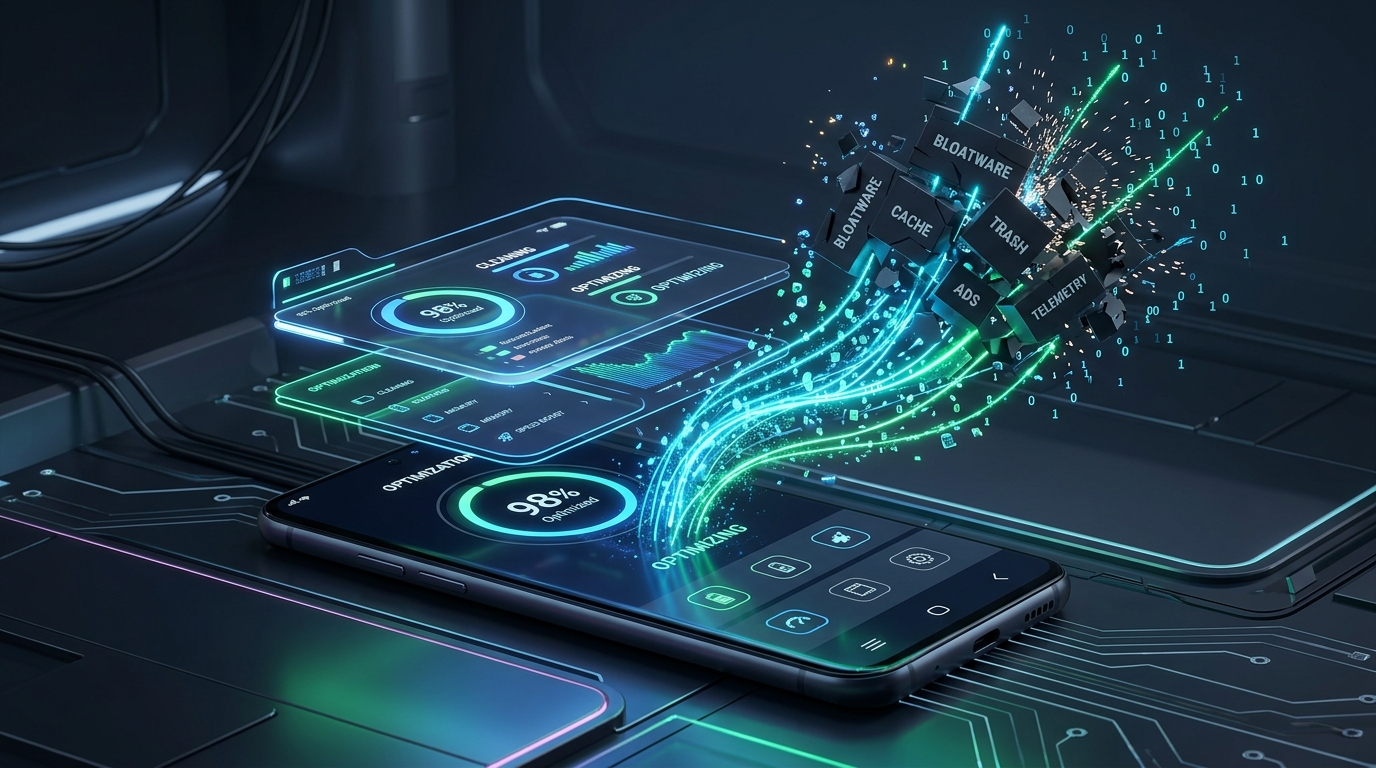
Every modern smartphone, whether it is a flagship Samsung Galaxy, a Xiaomi running HyperOS, or even a Google Pixel, arrives preloaded with background telemetry daemons, redundant duplicate app stores, and carrier tracking services that silently consume RAM, wake the processor during deep sleep, and harvest user habits. Historically, purging this bloat required unlocking the bootloader, tripping Knox warranty fuses, or constantly tethering your phone to a desktop computer with ADB platform tools.
Thanks to native Wireless Debugging introduced in modern Android, you can now obtain elevated ADB permissions and cleanly uninstall system-level bloatware directly on your device. No computer, no root access, and zero warranty risk. In this comprehensive 2026 guide, we demonstrate how to pair Shizuku with Canta to safely debloat any Android phone, categorize apps by safety tiers, and instantly restore packages if you ever make a mistake.
Why Debloating Still Matters in 2026
While modern smartphones ship with fast processors and generous RAM, OEM bloatware has grown increasingly persistent. Background services run continuously to gather analytics, serve system notifications, or monitor device state for targeted advertising.
- Standby Battery Optimization: Background telemetry packages trigger periodic wakelocks that prevent the CPU from entering its lowest low-power C-states. Removing them can reduce overnight idle drain from 1.5%–2% per hour to under 0.4% per hour.
- Memory Overhead Reduction: Preinstalled services (such as Facebook app managers, carrier diagnostics, and manufacturer cloud synchronization daemons) maintain active background services, occupying between 600MB and 1.4GB of physical RAM.
- Privacy & Data Telemetry: Stubs like
com.facebook.systemandcom.facebook.appmanagerare embedded into many Android skins (including Samsung One UI) even if you never install Facebook. Purging them halts telemetry tracking at the OS level. If you are taking steps to lock down device privacy, pairing on-device debloating with our self-hosted WireGuard and Pi-hole VPN setup shuts down outbound ad and tracker traffic at the network level as well. - Preserved SafetyNet & Banking Integrity: Because this method operates through standard Android package management commands (
pm uninstall --user 0) rather than modifying system partitions, your bootloader remains locked, hardware-backed Google Play Integrity passes cleanly, and banking or payment apps remain fully operational.
The Open-Source Toolchain
To run ADB-privileged commands without a PC, we chain two open-source, community-audited tools:
- Shizuku (GitHub): An open-source framework developed by Rikka that leverages Android’s Wireless Debugging loopback interface to host an elevated Java process. It exposes standard system APIs with ADB privileges to authorized client apps without modifying system partitions. Learn more at the official Shizuku documentation or install it directly via the Google Play Store.
- Canta (GitHub): An open-source, rootless package manager developed by Samolego. Available on F-Droid, Canta interfaces with Shizuku to execute package uninstalls for the current user (
user 0). It directly integrates crowdsourced package safety definitions from the Universal Android Debloater (UAD-ng) project, ensuring you never blindly remove critical system dependencies.
Step 1: Enabling Wireless Debugging & Pairing Shizuku
First, install Shizuku and Canta on your device. Connect your phone to an active Wi-Fi network (Wireless Debugging requires an active network interface, though you can also use your own phone’s portable Wi-Fi hotspot toggle if you are away from home).
- Open Settings > About Phone > Software Information, and tap Build Number 7 times until you see the confirmation prompt “You are now a developer!”
- Navigate to Settings > System (or Additional Settings) > Developer Options.
- Scroll down and toggle Wireless Debugging to On. Check “Always allow on this network” and confirm.
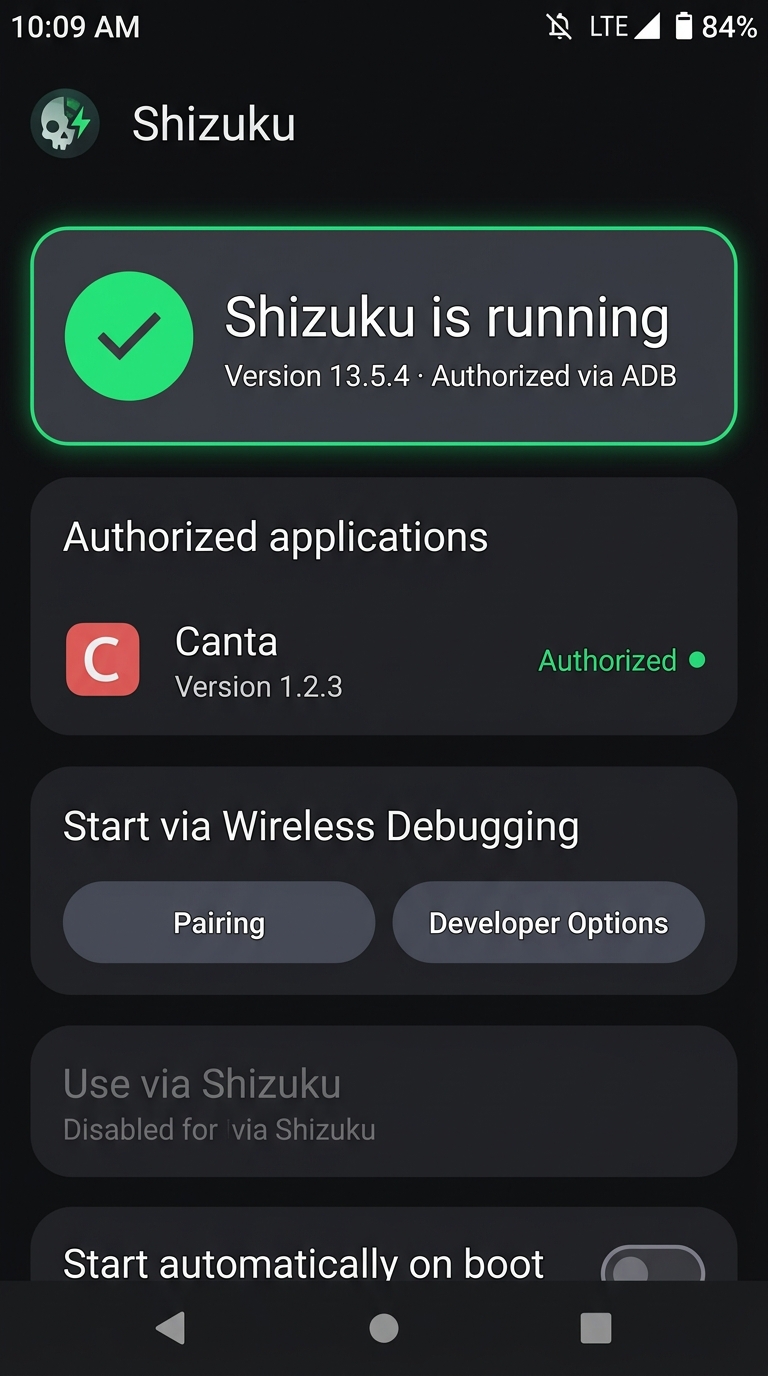
- Open the Shizuku app. Under the Start via Wireless Debugging section, tap Pairing.
- Tap Developer Options (Shizuku will guide you back to system settings).
- Tap the text label Wireless Debugging (not just the toggle) to access its sub-menu, then tap Pair device with pairing code.
- A 6-digit Wi-Fi pairing code and port will appear on your screen, accompanied by an active Shizuku notification in your notification tray.
- Pull down your notification shade, tap Enter pairing code on Shizuku’s prompt, input the 6 digits, and tap send.
- Return to Shizuku and tap Start. The service will initialize immediately.
Step 2: Authorizing Canta & Understanding Safety Tiers
Launch Canta. When prompted, tap Grant Permission to authorize Canta to communicate with Shizuku’s ADB daemon.
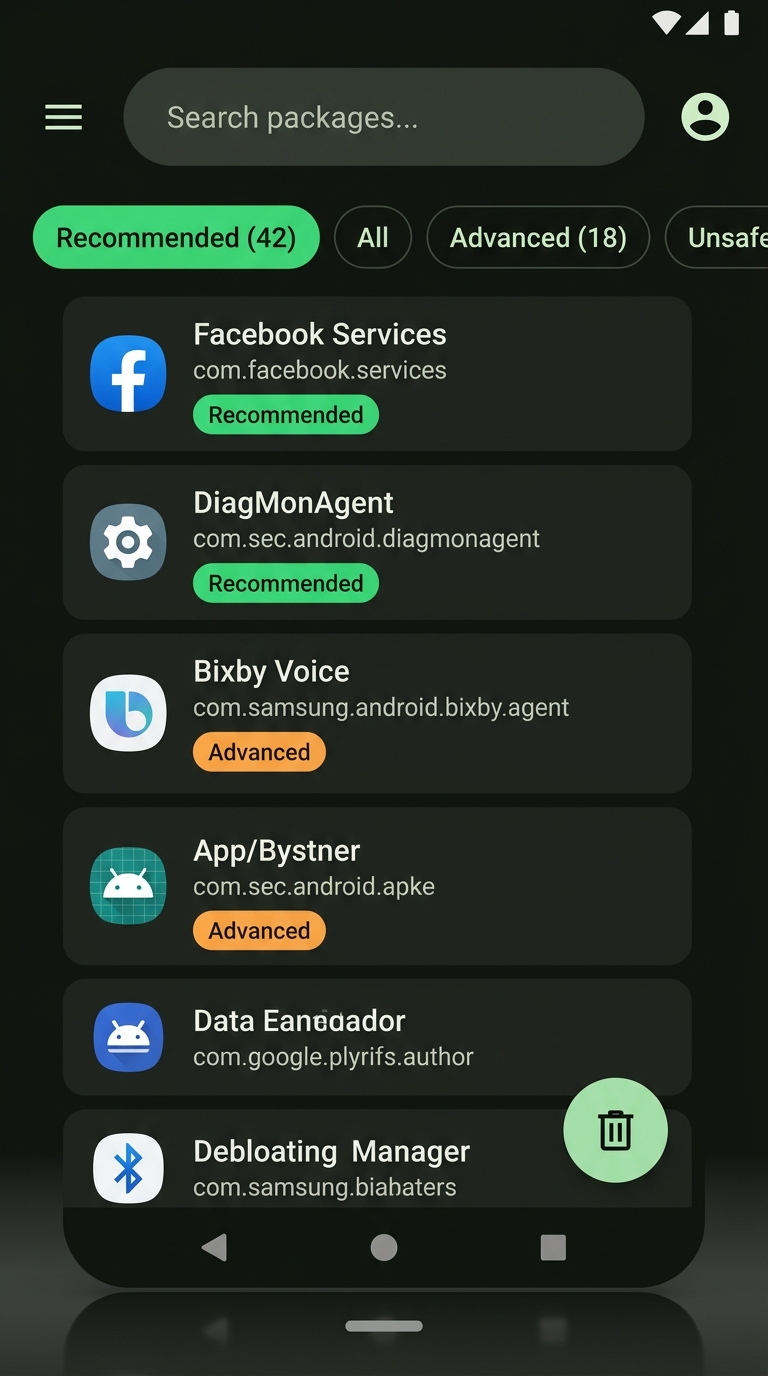
Once loaded, Canta displays every package installed on your device. Packages are automatically classified into four safety tiers based on the Universal Android Debloater database:
| Safety Badge | Risk Level | Description & Action |
|---|---|---|
| Recommended | Zero Risk | Pure bloatware, carrier analytics, Facebook daemons, sponsored apps. Safe to uninstall immediately. |
| Advanced | Low Risk | Secondary OEM features (e.g., Bixby, Smart Switch, Xiaomi Mi Pay). Safe if you do not use that specific service. |
| Expert | Medium Risk | Components tied to peripheral system functions (e.g., Keyboard stubs, Edge panels, Cloud sync). Read package notes before removing. |
| Unsafe | High / Critical | System frameworks, telephony, security keystores, package installers. Never uninstall these, as doing so can trigger bootloops. |
Essential Packages Safe to Remove by Brand
While Canta will automatically filter packages for your specific device under the Recommended tab, here are the most impactful background drainers across popular brands:
1. Samsung One UI (Galaxy S / A / Z Fold Series)
Samsung firmware contains several background telemetry and ad networks that run independently of user interaction:
# Facebook Background Daemons (Embedded into One UI)
com.facebook.katana           # Facebook app stub
com.facebook.system           # Facebook system installer
com.facebook.appmanager       # Background updater
com.facebook.services         # Background telemetry
# Samsung Marketing & Analytics
com.samsung.android.spayfw    # Samsung Pay Framework (if using Google Wallet)
com.samsung.android.bixby.agent # Bixby voice assistant
com.samsung.android.bixby.wakeup
com.samsung.android.app.spage # Samsung Free / O-Daily media feed
com.samsung.android.game.gamehome # Game Launcher analytics
com.sec.android.app.samsungapps # Galaxy Store (optional, if you rely strictly on Play Store)
# Diagnostic Loggers
com.sec.android.diagmonagent  # Samsung Diagnostic Monitoring Agent
2. Xiaomi HyperOS & POCO / Redmi
Xiaomi skins incorporate daemon services that serve targeted advertisements across system utilities (File Manager, Security app, Themes):
com.miui.analytics            # Core telemetry & ad delivery daemon
com.miui.msa.global           # MIUI System Ads (MSA daemon)
com.xiaomi.mipicks            # GetApps third-party store
com.miui.bugreport            # Background crash logger
com.miui.yellowpage           # Caller ID Yellow Pages telemetry
3. Google Pixel & Pure Android
While Pixels run cleaner software than heavily skinned OEM devices, there are several dormant tracking and legacy services that can be safely retired:
com.google.android.apps.tachyon # Google Duo / Meet legacy stub
com.google.android.feedback    # Market Feedback telemetry agent
com.google.android.apps.wellbeing # Digital Wellbeing (heavy background CPU usage)
com.google.android.marvin.talkback # Accessibility TalkBack (if unused)
How Safe Is It? Understanding the User 0 Sandbox
When you tap the trash icon in Canta, it does not delete files from your device’s read-only system partitions (/system or /product). Instead, it runs the following ADB shell command:
pm uninstall -k --user 0 <package.name>The --user 0 flag tells Android’s package manager to uninstall the package only for the primary user. All user data and cached states are eradicated, and the operating system halts the daemon, treats the app as non-existent, and stops loading it into RAM on boot. However, the original compressed APK remains safely preserved in the underlying system image.
How to Instantly Restore Any Removed Package
Because the base APK remains stored in your device’s read-only partition, restoring an uninstalled package requires zero backups and can be done anytime.
Method 1: One-Tap Restore via Canta
- Open Canta and navigate to the Trash / Uninstalled tab at the bottom.
- Select the package you wish to restore.
- Tap Restore. The package is immediately reinstated for User 0 with fresh defaults.
Method 2: Command Line Reinstallation via Termux / ADB
If you prefer using a terminal or are using Shizuku with Termux (or desktop ADB), you can restore any system package with a single command:
cmd package install-existing <package.name>For example, to restore the Samsung Diagnostic Monitoring Agent:
cmd package install-existing com.sec.android.diagmonagentReal-World Pitfalls & Troubleshooting
1. The Disappearing Pairing Code Dialog
When pairing Shizuku, switching away from the Developer Options screen causes Android to invalidate the pairing code and rotate the internal port. To prevent this, use Android’s Split Screen mode or Pop-Up / Floating Window mode so both Shizuku and Developer Options remain active on your screen simultaneously during the 6-digit handshake.
2. What Happens When You Restart Your Phone?
All packages uninstalled through Canta remain permanently uninstalled across reboots. However, Android terminates the Shizuku ADB daemon whenever the phone powers down. If you want to debloat more apps later, simply connect to Wi-Fi, open Shizuku, and tap Start (you do not need to re-pair the 6-digit code again unless Wireless Debugging is manually toggled off).
3. Do OTA Firmware Updates Reinstall Bloatware?
Major Android version upgrades (e.g., updating from Android 15 to Android 16) may reinstate some OEM system packages if the vendor updater script explicitly registers new default packages for User 0. If this happens, simply launch Canta and tap the uninstallation button again. The process takes less than thirty seconds.
The Bottom Line
Debloating your smartphone no longer requires risky rooting procedures or complex terminal commands tethered to a PC. By leveraging native Wireless Debugging with Shizuku and Canta, you take complete ownership of your device: eliminating background telemetry, reclaiming valuable battery life, and silencing unwanted system advertisements without jeopardizing device security or warranty coverage.
Leave a Reply