
Proprietary mobile cryptocurrency wallets expose self-custody users to closed-source binaries, embedded telemetry SDKs, and centralized RPC servers that log IP addresses alongside complete transaction graphs. Choosing audited open-source crypto wallets for Android removes opaque black-box custody code, lets you verify every APK directly from upstream GitHub releases, and preserves private key ownership without mandatory identity checks.
In late 2026, mobile self-custody security also intersects directly with platform distribution rules. Google’s Android Developer Verification program began regional pilot enforcement on September 30, 2026 and expands globally in January 2027 across certified Android handsets. Knowing how to pull official GitHub builds, validate SHA-256 checksums and OpenPGP signatures, and harden Android hardware isolation determines whether your phone operates as a sovereign signing environment or a surveillance endpoint. Every wallet evaluated below is strictly non-custodial, MIT-licensed, zero-KYC for self-custody storage and transfers, and verifiable directly from its upstream source repository. This engineering cornerstone focuses purely on cryptography, network privacy, binary verification, and OS hardening rather than financial advice or market speculation.
Key Takeaways
- Strict MIT-Licensed Self-Custody: Every recommended wallet (Cake Wallet v6.5.4, BlueWallet v8.0.2, Unstoppable v0.53.0, Electrum v4.8.4, and Stashi Wallet v1.2.6) keeps private keys strictly on-device with publicly auditable source code and zero KYC requirements for self-custody transfers.
- Cryptographic Binary Verification Beats Play Store Trust: Downloading directly from official GitHub releases or
electrum.organd validating SHA-256 manifests, OpenPGP.ascsignatures, andapksignercertificates prevents supply-chain tampering and Play Store clone attacks ahead of January 2027 developer verification enforcement. - Hardware Plus OS Isolation: Combining Android StrongBox KeyMint secure elements (Titan M2 or Knox Vault) with a dedicated GrapheneOS secondary finance profile isolates wallet memory, disables native code debugging, and enforces per-profile Tor or WireGuard routing.
Quick Verdict: Top Open-Source Android Crypto Wallets by Threat Model
The best open-source crypto wallet for Android depends on your chain and privacy threat model: Cake Wallet leads for Monero and multi-chain swaps, BlueWallet excels for Bitcoin-only self-hosted nodes, Unstoppable leads zero-tracker DeFi, Electrum anchors hardware SPV signing, and Stashi delivers rapid Pirate Chain zk-SNARK sync.
- Best Multi-Chain and Monero (XMR) Privacy Wallet: Cake Wallet v6.5.4 combines local Monero view-key scanning, Bitcoin Silent Payments (BIP-352), native Tor routing, and offline Zcash QR signing through its companion Cupcake app.
- Best Bitcoin-Only, Lightning, and Self-Hosted Node Wallet: BlueWallet v8.0.2 pairs Taproot (BIP-86) support, Coldcard BBQR and BC-UR v2 animated QR cold storage signing, and direct self-hosted Electrs, Fulcrum, or LNDHub connectivity with plausible deniability vaults.
- Best Multi-Chain DeFi and Zero-Tracker Analytics Wallet: Unstoppable Wallet v0.53.0 ships a native Kotlin binary compiled via reproducible Docker scripts with zero analytics SDKs, NEAR Protocol support, direct Zcash shielding, and zero-account on-chain analytics.
- Best Battle-Tested Bitcoin SPV Client and Hardware Signer: Electrum v4.8.4 (building on the v4.7.2 security hardening cycle) provides multi-builder GPG-signed APKs, deterministic multisig vaults, Android QML sub-1 sat/vB fee control, and strict custom server pinning.
- Fastest Syncing Pirate Chain ($ARRR) and zk-SNARK Privacy Wallet: Stashi Wallet v1.2.6 runs a Rust core with the Supernova Sync engine specifically for Pirate Chain’s mandatory shielded pool, adding hardened Tor transport handling and upcoming LTC-to-ARRR atomic swaps.
If you are assembling a completely de-Googled daily driver around these wallets, pair them with Obtainium for automated GitHub APK tracking and Aegis Authenticator for offline TOTP vaults from our curated open-source Android FOSS app stack.
Master Comparison Matrix: Audited Open-Source Android Wallets
All five audited Android crypto wallets in this comparison matrix operate under permissive MIT open-source licenses, keep private keys strictly on local device storage, and require zero identity verification for self-custody transfers. Each project ships verifiable GitHub or signed official binaries with dedicated Tor, I2P, or custom node controls.
| Wallet & Version | Primary Focus | Supported Chains / Tech | Network Privacy | License & GitHub Source |
|---|---|---|---|---|
| Cake Wallet v6.5.4 | Multi-Chain & Monero (XMR) Privacy | XMR, BTC (Silent Payments, Payjoin, Lightning), ZEC (Cupcake QR), LTC (MWEB), Tron, BCH, EVM, Solana | Built-in Tor routing, local XMR view-key scan, custom remote/self-hosted nodes | MIT License (cake-tech/cake_wallet) |
| BlueWallet v8.0.2 | Bitcoin-Only, Lightning & Cold Storage | BTC (Taproot BIP-86, PSBT, Multisig, Coldcard BBQR & BC-UR v2), Lightning (LNDHub / Arkade) | Direct self-hosted Electrs / Fulcrum node, OS-level Orbot Tor VPN, decoy vaults | MIT License (BlueWallet/BlueWallet) |
| Unstoppable Wallet v0.53.0 | Multi-Chain DeFi & Zero-Tracker Analytics | BTC, EVM, Solana, Zcash (direct shielding), NEAR (NEP-141), TON, Monero, DEX aggregation | Zero analytics SDKs, Tor/VPN controls, custom RPC sync sources, Duress Mode | MIT License (horizontalsystems/unstoppable-wallet-android) |
| Electrum v4.8.4 (v4.7.2+ Baseline) | Battle-Tested Bitcoin SPV & Multisig | BTC SPV, Lightning (reverse submarine swaps), sub-1 sat/vB QML GUI, hardware wallets | Custom Electrum server pinning, Tor SOCKS5 proxy, multi-builder GPG APKs | MIT License (spesmilo/electrum) |
| Stashi Wallet v1.2.6 | Fastest Pirate Chain ($ARRR) zk-SNARK | Pirate Chain ($ARRR) mandatory zk-SNARK (Sapling & Ironwood), Supernova Sync, upcoming LTC atomic swaps | Mandatory shielded pool, Tor & I2P lightwalletd endpoints, scrubbed debug logs | MIT License (PirateNetwork/Stashi-Wallet) |
Why Open-Source and Verified GitHub APKs Matter in Late 2026
Sideloading cryptographically verified APKs straight from official GitHub repositories eliminates app store re-signing blind spots, proprietary telemetry SDKs, and malicious mirror clones. Ahead of Google’s January 2027 global Android Developer Verification enforcement, mastering SHA-256 checks, GPG verification, and ADB or Advanced Flow sideloading protects uninterrupted self-custody updates.
Relying on Google Play or unverified third-party APK aggregators introduces three concrete supply-chain risks for self-custody software:
- Play App Signing Custody Gap: When a developer enrolls in Google Play App Signing, Google holds the distribution signing key and re-signs split APKs server-side. Pulling an upstream GitHub release lets you verify the build directly against the developer’s own OpenPGP key or signing certificate without an intermediary keystore.
- Reproducible Build Verification: Independent security trackers like WalletScrutiny distinguish between “source available” apps and deterministically reproducible binaries. When a wallet provides Docker build scripts (as Unstoppable does), Nix flakes (as Stashi does), or multi-builder signatures (as Electrum does), any Linux engineer can recompile the tagged commit and verify byte-for-byte parity against the published APK.
- Third-Party Mirror Poisoning and Clone Traps: Search results for Android wallet APKs remain polluted with outdated mirror archives and unrelated clone packages (such as misindexed BSC token apps masquerading under similar package names). Official GitHub releases and F-Droid repositories remove guesswork entirely.
Distribution mechanics on certified Android phones changed sharply in late 2026. Following its September 30, 2026 pilot rollout in Brazil, Indonesia, Singapore, and Thailand, Google confirmed on November 19, 2026 that Android Developer Verification expands globally starting in January 2027. On Play-certified Android 8 through Android 17 devices, the system verifier service (com.google.android.verifier) cross-checks every package identifier and SHA-256 certificate against Google’s registered developer database. Unregistered FOSS APKs trigger the hard block prompt App from unverified developer not installed.
Power users maintain full sideloading autonomy through three technical paths: completing Google’s one-time 24-hour Advanced Flow inside Developer Options, installing verified APKs over USB or wireless ADB (which bypasses the on-device cooldown immediately), or running a de-Googled OS such as GrapheneOS where com.google.android.verifier does not exist. For exact terminal commands and verifier service diagnostics on Android 16 and 17, follow our Android unverified developer sideloading and ADB guide.
1. Cake Wallet (v6.5.4): Best Multi-Chain and Monero Privacy Wallet
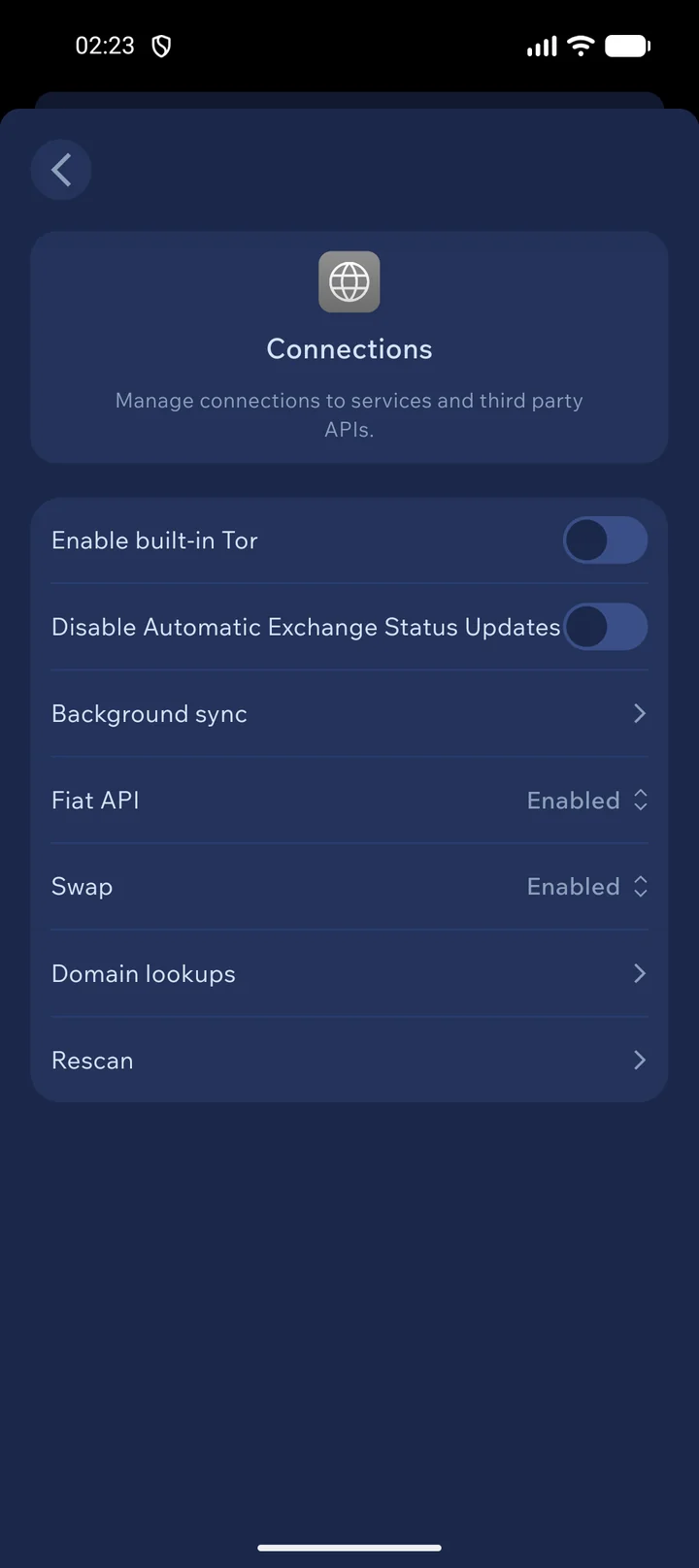
Cake Wallet v6.5.4 is the strongest MIT-licensed multi-chain and Monero privacy wallet for Android in late 2026. It pairs local Monero view-key scanning, Bitcoin Silent Payments, and native Tor routing with air-gapped Zcash QR signing via Cupcake, custom node pinning, and PGP-signed GitHub APK releases.
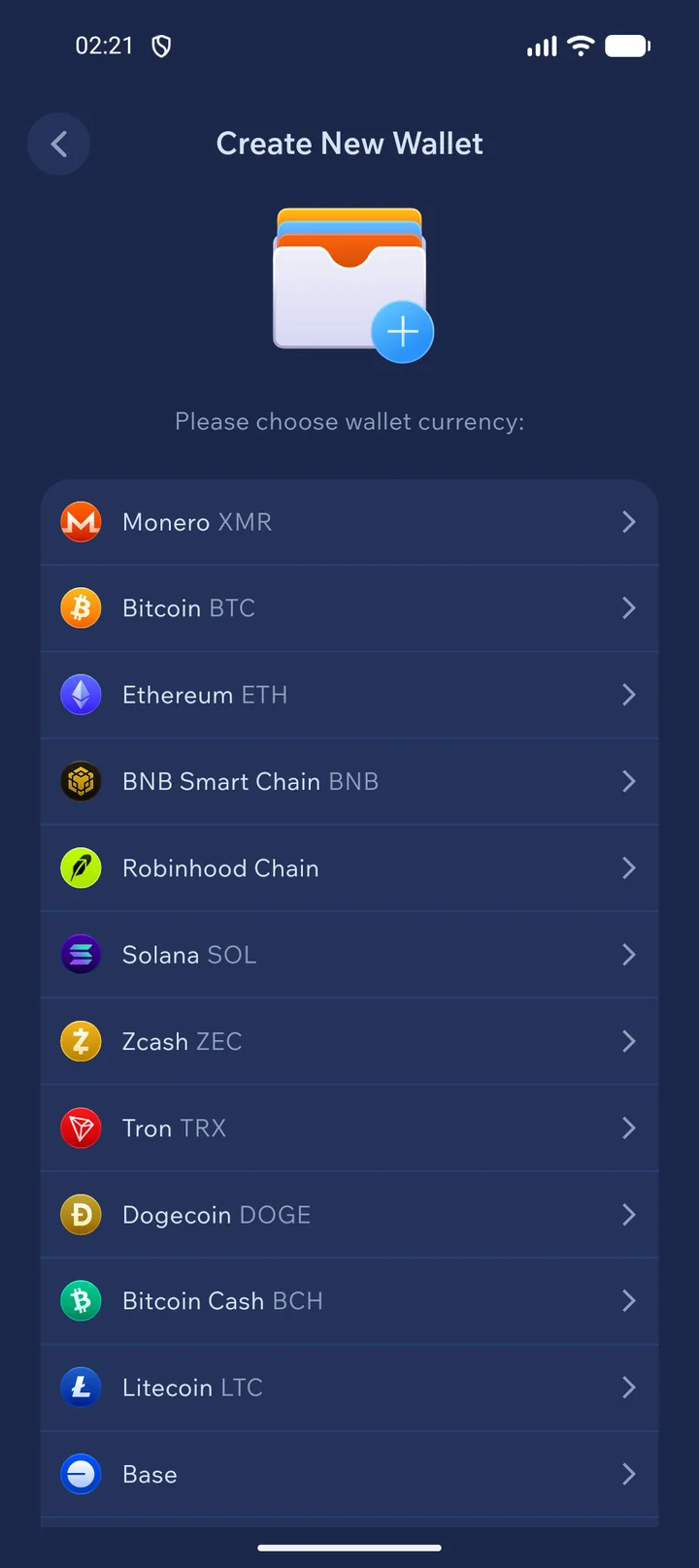
- Best For: Daily multi-chain privacy users holding Monero (XMR), Bitcoin (on-chain and Lightning), Zcash (ZEC), Litecoin (MWEB), Tron, and EVM assets inside one audited mobile client.
- Core Architecture and MIT License: Published under the MIT license (package ID
com.cakewallet.cake_wallet), Cake Wallet runs a cross-platform Flutter and C++/Rust native library stack. Unlike hosted light wallets that transmit your Monero private view key to remote servers, Cake Wallet scans blocks locally on your handset. Pulling the architecture-specificCake_Wallet_v6.5.4-arm64-v8a.apk(128.79 MB, verified SHA-256:f9eee98888b432df7069e8756b8a6655767e467dfb2f7f5ebb4fa0b90d4cd2b4) from GitHub cuts download overhead by 61% compared to the 334.73 MB universal APK. Every direct release across GitHub, Accrescent, andfdroid.cakelabs.comshares Cake Labs’ single Android signing certificate fingerprint (C5:40:53:AB:0F:10:D9:54:17:62:A3:DA:76:65:AE:3D:BA:5E:7C:74:3A:B4:F1:08:A5:34:9D:62:AC:10:6E:F5) and is attested by Omar Shibli’s PGP key (22F56E809E09444989AFA8E023FE05609FFB3E7C). - What Is New in v6.5.4 (November 2026): Version 6.5.4 introduces offline air-gapped Zcash (ZEC) transaction signing via QR code scanning with Cake Labs’ companion Cupcake air-gapped signer (v1.2.0). Cross-chain swaps now execute directly from any asset without manually switching active wallets first, adding the WhyNot swap provider and expanded Chainflip routing. Tron users gain WalletConnect dApp connectivity plus rented energy support for USDT transfers to slash on-chain gas costs, while Bitcoin Cash (BCH) gains Ledger cold storage signing.
- Privacy and Node Controls: Cake Wallet implements Monero subaddresses and Polyseed backups, Bitcoin Silent Payments (BIP-352) and Payjoin v2, native Bitcoin Lightning (via Spark and Breez SDK), and Litecoin MimbleWimble Extension Blocks (MWEB). Built-in Tor routing hides your home IP address, and every supported coin lets you pin your own self-hosted
monerod, Electrum, orlightwalletdserver. - Official GitHub Download and Verification Links: Source repository at https://github.com/cake-tech/cake_wallet, direct APK binaries and SHA-256 manifests at https://github.com/cake-tech/cake_wallet/releases/latest, and official documentation at https://cakewallet.com.
For a complete walkthrough covering PGP-signed SHA256SUMS validation, BIP-39 wallet groups, Monero restore height selection, and Obtainium auto-updates, follow our dedicated Cake Wallet APK SHA-256 and BIP-39 setup guide.
2. BlueWallet (v8.0.2): Best Bitcoin-Only and Self-Hosted Node Wallet
BlueWallet v8.0.2 is the best Bitcoin-only open-source Android wallet for users connecting directly to self-hosted Electrs, Fulcrum, or LNDHub infrastructure. Built under the MIT license, it supports native Taproot accounts, Coldcard BBQR and BC-UR v2 animated QR cold storage signing, PSBT inspection, and decoy plausible deniability vaults.
- Best For: Bitcoin maximalists, multisig vault operators, and homelab self-hosters pairing an Android watch-only coordinator with a Coldcard, Passport, Keystone, or SeedSigner hardware device.
- Core Architecture and MIT License: Built in React Native and TypeScript under the MIT license (package ID
io.bluewallet.bluewallet), BlueWallet strips out altcoin attack surfaces and explicitly disables Android’s OS cloud backup flag in its manifest so unencrypted app state never leaks to Google Drive. Two codebase details deserve explicit transparency: first, while BlueWallet maintains areproducible-builds/pipeline and improved deterministic Android CI in v8.0.2, independent third-party verification of the v8.0.2 Android APK on WalletScrutiny remains pending community sign-off; second, the upstream repository includesbugsnag.jscrash reporting, so privacy-strict users should isolate BlueWallet inside a firewalled GrapheneOS profile. - What Is New in v8.0.2 (October 2026): Released in October 2026, v8.0.2 refined Android release CI by omitting npm
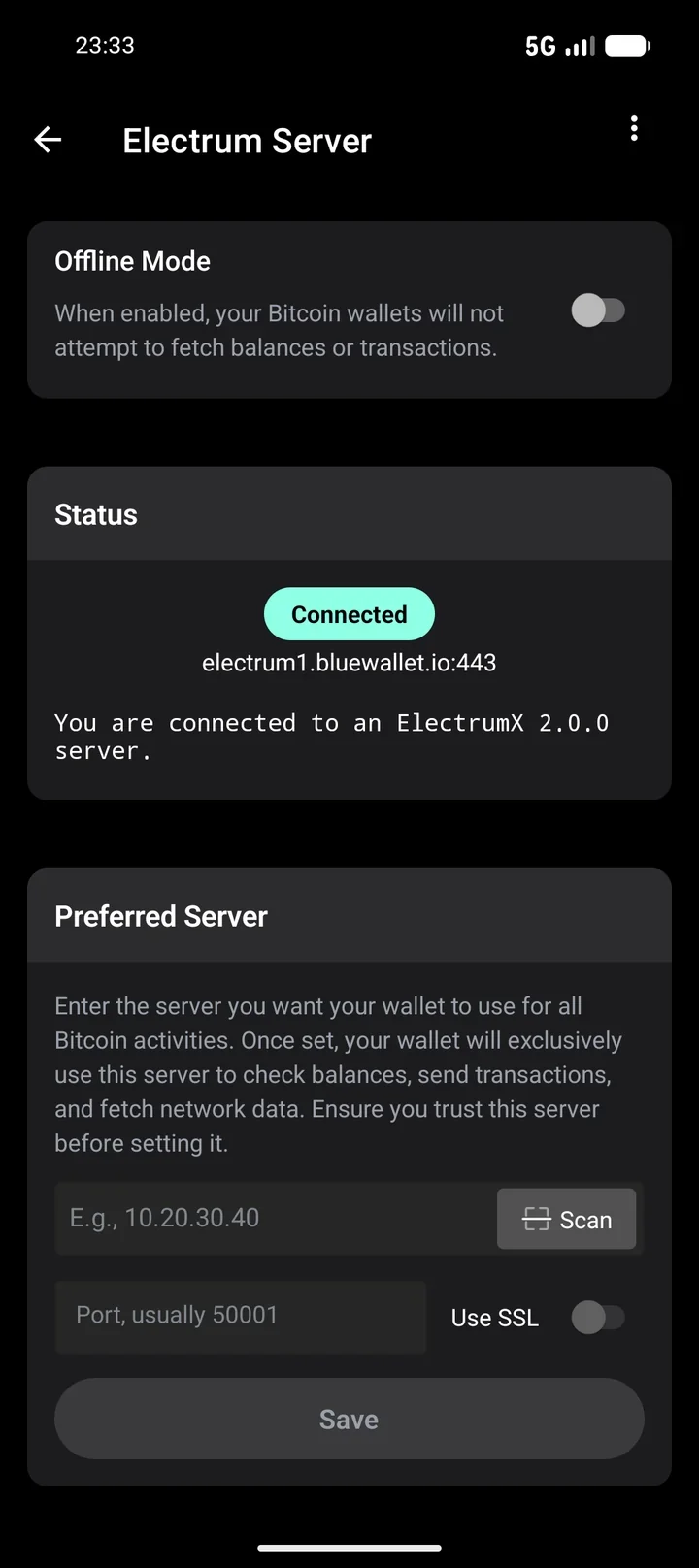
devDependenciesfor cleaner deterministic builds, updated core TCP socket and secp256k1 cryptographic dependencies, and expanded non-custodial Lightning options through Arkade SDK integration alongside self-hosted LNDHub (BlueWallet permanently sunset its old hosted custodial LNDHub service in 2023). Across the modern v7/v8 branch, BlueWallet pairs native Taproot (BIP-86) descriptors with PSBT quick look, Coldcard BBQR and BC-UR v2 animated QR scanning, and BIP-329 transaction label import/export. - Privacy and Node Controls: Point BlueWallet directly at your own Bitcoin Core node running Electrs or Fulcrum over SSL/TLS so public Electrum servers never observe your xpub or UTXO set. Because BlueWallet removed its legacy embedded
react-native-tordaemon, route its traffic through Tor at the OS level using Orbot or a GrapheneOS per-profile Tor VPN. Under physical coercion scenarios, BlueWallet’s Plausible Deniability feature unlocks a separate decoy wallet vault when you enter a secondary passphrase. - Official GitHub Download and Verification Links: Source repository at https://github.com/BlueWallet/BlueWallet, signed GitHub tags and APK releases at https://github.com/BlueWallet/BlueWallet/releases/latest, project documentation at https://bluewallet.io, and build audit status at https://walletscrutiny.com.
3. Unstoppable Wallet (v0.53.0): Best Multi-Chain DeFi and Zero-Tracker Wallet
Unstoppable Wallet v0.53.0 is the cleanest native Kotlin multi-chain DeFi and on-chain analytics wallet on Android with zero proprietary tracking SDKs. Licensed under MIT, it ships Docker-reproducible GitHub APKs with published SHA-256 digests, full NEAR Protocol support, direct Zcash shielding, Tor routing controls, and multi-chain DEX aggregation.
- Best For: Active multi-chain DeFi engineers and privacy-conscious portfolio managers who want native Android performance, institutional-grade market analytics without accounts, and reproducible builds across EVM, Solana, Bitcoin, Zcash, TON, Monero, and NEAR.
- Core Architecture and MIT License: Written 100% natively in Kotlin by Horizontal Systems under the MIT license (package ID
io.horizontalsystems.bankwallet, supporting Android 8.1 and above), Unstoppable Wallet avoids cross-platform WebView overhead and is also published directly in the official F-Droid catalog. Its repository provides a containerized Docker reproducible build script (docker/build-apk.sh) and ships distinct GitHub and Play Store APKs alongside SHA-256 and MD5 checksums. Always select the slimmer 85.6 MBunstoppable_wallet_github_0.53.0.apk(verified SHA-256:fa44ce2a4ce39bcafd474aac5e3bde782d0eec7aaa3a50daf4aa30935bd4110a) over the 93.6 MB Google Play variant to keep Google billing libraries completely out of your wallet binary. - What Is New in v0.53.0 (October 2026): Stable release v0.53.0 adds native NEAR Protocol support covering both NEP-141 fungible tokens and human-readable named accounts. For Zcash (ZEC) users, v0.53.0 removes extra shielding hops by allowing transparent ZEC UTXOs to be shielded directly from inside the Send and Swap flows. Recent updates in the same branch also made Duress Mode free for all users, while the follow-up v0.53.1 pre-release branch queues custom TronGrid RPC API key decoupling for self-hosted Tron endpoints.
- Privacy and Node Controls: Unstoppable bundles zero advertising, crash-reporting, or behavioral analytics SDKs. Granular per-chain sync controls let you assign custom EVM RPC URLs, Bitcoin SPV peers, or Zcash lightwallet servers, backed by built-in Tor and VPN transport toggles and non-custodial DEX routing without user registration.
- Official GitHub Download and Verification Links: Source repository and Docker build scripts at https://github.com/horizontalsystems/unstoppable-wallet-android, direct GitHub APK releases and checksums at https://github.com/horizontalsystems/unstoppable-wallet-android/releases/latest, and official project overview at https://unstoppable.money.
4. Electrum (v4.8.4): Best Battle-Tested Bitcoin SPV Client and Hardware Signer
Electrum remains the leading MIT-licensed Bitcoin SPV wallet for Android engineers requiring multi-builder GPG signatures, deterministic multisig vaults, and strict custom server pinning. Its late-2026 v4.8.4 security release builds on v4.7.2’s Android QML sub-1 sat/vB fee controls while patching critical remote-server RBF and Lightning flaws.
- Best For: Security-first Bitcoin veterans running cold-storage multisig schemes, custom fee-bumping workflows, Lightning submarine swaps, and self-hosted Electrum servers who demand multi-signer OpenPGP binary verification.
- Core Architecture and MIT License: Maintained since 2011 under the MIT license (package ID
org.electrum.electrum), Electrum runs a Python core paired with a lightweight Qt/QML Android interface. Using Simplified Payment Verification (SPV), it verifies Merkle proofs against block headers locally rather than trusting remote balance APIs. Every official APK onelectrum.orgis deterministically built and ships with a combined detached.ascsignature file attested independently by four builders: Thomas Voegtlin (ThomasV),SomberNight,Emzy, andfelixb_f321x. - What Is New in the 2026 Release Cycle (v4.7.2 Baseline to v4.8.4): In April 2026, Electrum v4.7.2 delivered foundational security hardening by patching third-party plugin authorization bypass (
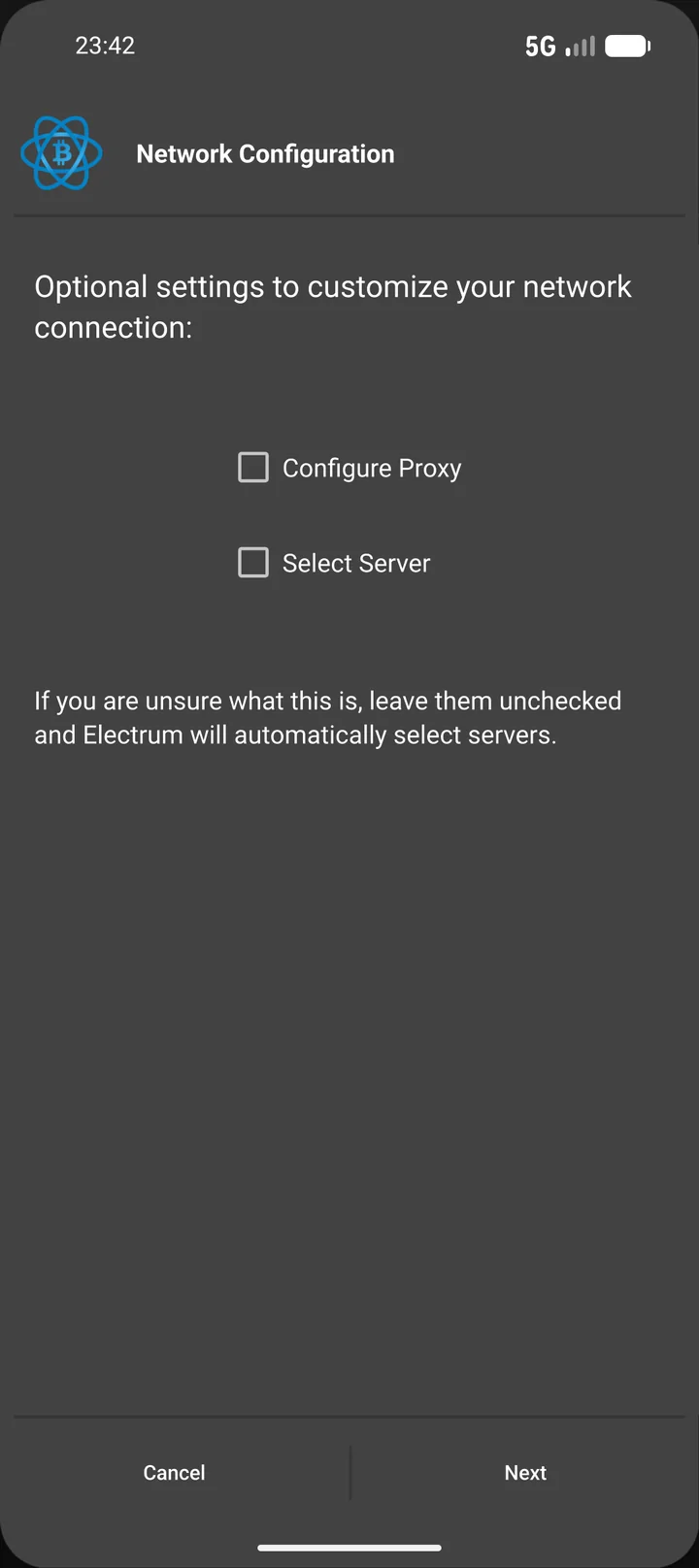
GHSA-vw94-r84p-66qf) and Nostr Wallet Connect daily limit bypass (GHSA-q7m2-785w-r585), enforcing restrictive0077application umask permissions, and maturing the Android QML interface with manual sub-1 sat/vB feerate editing, Lightning reverse submarine swaps to external on-chain addresses, and cleaner TrustedCoin 2FA URI handoffs. Crucially, do not stop at v4.7.2: upgrade straight to v4.8.4 (released November 2026), which incorporates v4.8.3’s mandatory patch forGHSA-6jp4-8v48-cc5v(an actively exploited flaw where malicious public Electrum servers swapped unconfirmed transactions to trick users into RBF fee traps) and drops malformed incoming Lightning onion messages that could disconnect channel peers. - Privacy and Node Controls: Never leave Electrum on auto-connect to random public servers if you care about mempool privacy or RBF integrity. Lock the Network tab to your own Linux Electrs or Fulcrum instance over a WireGuard tunnel or route traffic through Orbot’s local Tor SOCKS5 proxy (
127.0.0.1:9050). - Official GitHub Download and Verification Links: Source code and security advisories at https://github.com/spesmilo/electrum; official Android
arm64-v8aAPKs and combined.ascGPG signatures exclusively at https://electrum.org.
5. Stashi Wallet (v1.2.6): Fastest Syncing Pirate Chain ($ARRR) zk-SNARK Wallet
Stashi Wallet v1.2.6 is the fastest MIT-licensed mobile light wallet engineered exclusively for Pirate Chain ($ARRR) mandatory zk-SNARK shielded transactions. Powered by a Rust core and the Supernova Sync engine, it replaces sluggish legacy light wallets, hardens Tor transport stability, and prepares trustless LTC-to-ARRR atomic swaps.
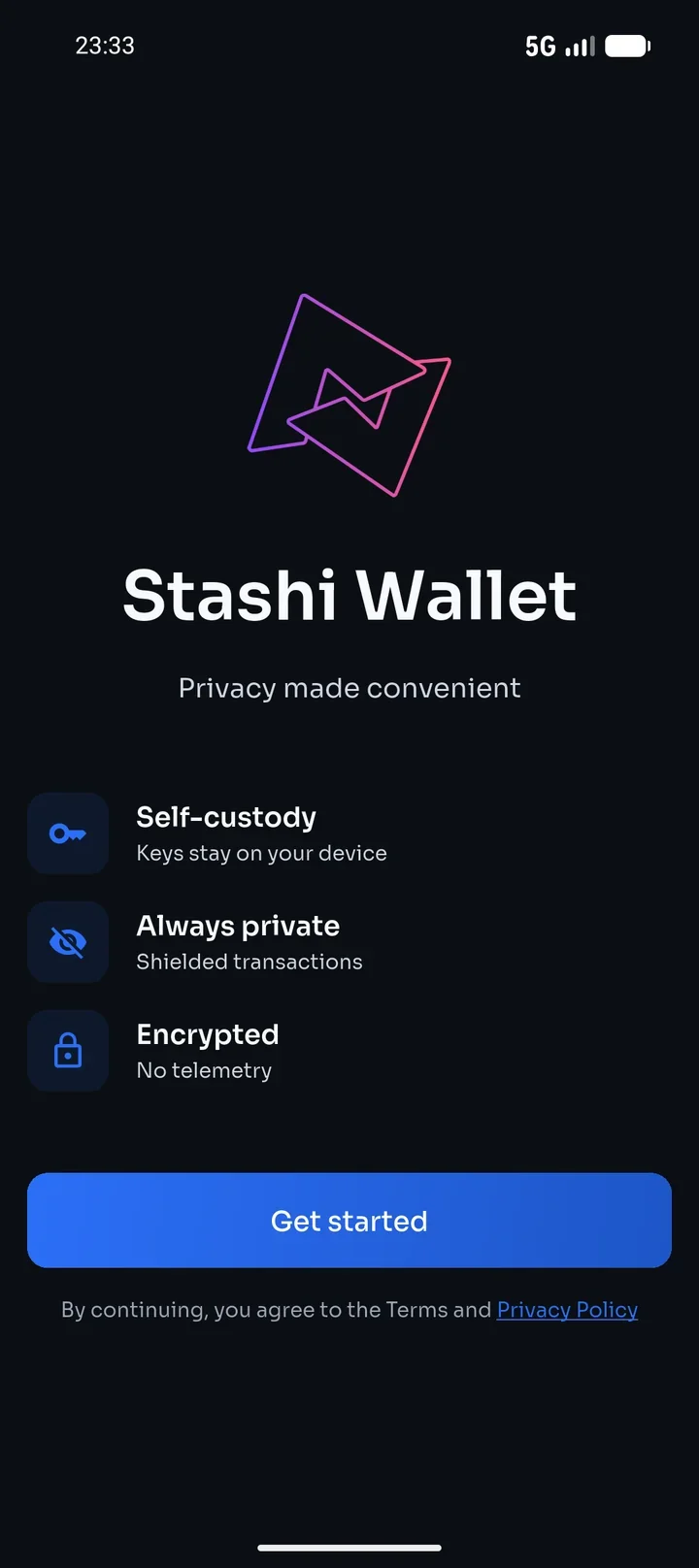
- Best For: Privacy-coin engineers and Pirate Chain ($ARRR) holders who require mandatory zero-knowledge shielded pool transactions without waiting hours for legacy mobile wallets to scan Sapling and Ironwood blocks.
- Core Architecture and MIT License: Published under the MIT license by PirateNetwork, Stashi Wallet separates its shared Rust wallet backend (
crates/pirate-wallet-service) from its Flutter bridge (crates/pirate-ffi-frb) and native mobile SDK bindings (crates/pirate-ffi-native), shipping split Android APKs alongside desktop builds. Its signature breakthrough is the Supernova Sync engine, engineered to scan shielded zk-SNARK outputs orders of magnitude faster than deprecated Pirate Chain mobile wallets while supporting Pirate Chain’s Halo2-based Ironwood shielded pool transition. The repository also includes a checked-inflake.nixreproducible build definition, a published March 31, 2026 security audit (docs/audit-2026-03-31.md), SHA-256 release checksums, SBOMs, and provenance scripts. - What Is New in v1.2.6 (October 2026) and Upcoming Atomic Swaps: Version 1.2.6 focused sharply on network privacy resilience: fixing Tor connection progress indicators and mid-sync session interruptions, improving sync resumption after toggling between Wi-Fi, cellular, and Tor transports, guaranteeing clean TCP socket teardown during mode switches, and hardening debug log scrubbing to block accidental metadata leakage. Looking immediately ahead on the same modular Rust backend, Stashi is rolling out native Litecoin (LTC) to Pirate Chain ($ARRR) Atomic Swaps, letting users transmit LTC and convert trustlessly into shielded $ARRR directly inside the wallet without touching a centralized KYC exchange.
- Privacy and Node Controls: Because Pirate Chain enforces shielded-only transactions at the consensus layer, Stashi eliminates transparent address leakage mistakes common on opt-in privacy chains. Users can route lightwalletd queries through Pirate Chain’s dedicated Tor and I2P endpoints or point the sync engine at a private self-hosted lightwalletd server.
- Official GitHub Download and Verification Links: Source repository, Nix flake, and security audit docs at https://github.com/PirateNetwork/Stashi-Wallet, release binaries and SHA-256 manifests at https://github.com/PirateNetwork/Stashi-Wallet/releases/latest, and official project portals at https://stashi.org and https://piratechain.com.
Android StrongBox and GrapheneOS Isolated Finance Profile Hardening
Hardening self-custody on Android requires pairing hardware-backed StrongBox key storage with OS-level profile isolation so daily browsing never touches wallet memory. Running your open-source wallets inside a dedicated GrapheneOS secondary finance profile enforces separate filesystem encryption keys, strips Google Play dependencies, and blocks native exploit vectors.
Android StrongBox KeyMint and Hardware Keystore Isolation
Android StrongBox KeyMint isolates cryptographic key generation and encrypted storage inside a dedicated tamper-resistant secure element chip such as Google’s Titan M2 or Samsung Knox Vault. Unlike standard Trusted Execution Environments sharing the main SoC, StrongBox maintains an independent CPU, hardware random number generator, and physical glitch sensors.
When an open-source wallet encrypts its local SQLite database or seed keystore via the Android Keystore HAL, hardware backing determines what happens if an attacker compromises the Linux kernel or steals the physical handset:
- Dedicated Hardware Isolation: Standard TEE implementations execute on an isolated mode of the primary ARM processor, leaving potential shared-cache side channels. StrongBox KeyMint chips (Titan M2 on Pixel handsets and Knox Vault on flagship Samsung Galaxy devices) run their own isolated processor, dedicated flash storage, and hardware True Random Number Generator (TRNG), blocking voltage-glitching and physical bus probing.
- Hardware-Enforced Brute-Force Throttling: StrongBox enforces exponential lock-screen PIN delays in silicon. Even with full raw flash dumps of the
/datapartition, an adversary cannot run offline GPU dictionary attacks against a strong 12+ character alphanumeric Diceware unlock passphrase bound to StrongBox Weaver slots. - Hot Wallet Boundary Discipline: Hardware keystores dramatically elevate hot-wallet defense, yet mobile phones remain networked computers. Limit mobile hot wallets to spending balances and pair BlueWallet, Electrum, or Cake Wallet (via Cupcake) with offline air-gapped hardware signers for long-term cold storage.
Configuring a GrapheneOS Isolated Finance Profile
Creating a dedicated secondary user profile on GrapheneOS locks your open-source crypto wallets inside a separate encrypted partition with zero Google Play Services, isolated VPN or Tor routing, and strict memory protections. Keeping Secure app spawning enabled while disabling Native code debugging eliminates common Android exploit chains.
- Create an Isolated Secondary User Profile: Open
Settings > System > Multiple usersand create a dedicated secondary profile (for example,Vault) secured with a distinct alphanumeric unlock passphrase. Do not install Sandboxed Google Play Services in this profile unless a separate legacy banking app requires it; all five open-source wallets in this guide run natively with zero Google Play dependencies. - Verify Strict Exploit Protection Controls: Navigate to
Settings > Security & privacy > Exploit protectionand confirm that Secure app spawning is Enabled, Native code debugging is set to Blocked, and WebView JIT is Disabled. Inside each wallet’s individual app info page, verify that Exploit protection compatibility mode remains Off so GrapheneOS’shardened_mallocallocator and ARM Hardware Memory Tagging (MTE) stay fully active. - Lock Down Per-Profile Networking and Transport Privacy: Configure an always-on WireGuard VPN or Orbot Tor VPN exclusively inside the Finance profile under
Settings > Network & internet > VPNwithBlock connections without VPNenabled. If you run an air-gapped signer like Cupcake on a spare GrapheneOS device, revoke its GrapheneOSNetworkpermission toggle completely so the OS kernel drops every outbound socket attempt. - Eliminate Clipboard, Sensor, and USB Attack Surfaces: Disable cross-profile app sharing, leave the default
Sensorspermission revoked for wallet apps (preventing accelerometer side-channel PIN inference), setUSB-C porttoCharging-only when locked, and enable Auto reboot (12 to 18 hours) so inactive profiles drop their decryption keys back to Before First Unlock (BFU) state. - Protect Upstream Nodes and Exchange Endpoints with FIDO2: Never pair a hardened GrapheneOS wallet profile with weak SMS two-factor authentication on your Linux home server or fiat on-ramp. Lock down SSH access to your Electrs/monerod server and exchange logins using our hardware FIDO2 YubiKey setup for Android and Linux.
Step-by-Step: Verify APK Checksums and GPG Signatures Before Installing
Before installing any sideloaded cryptocurrency wallet APK, validate three cryptographic layers on Linux or Termux: match the file’s SHA-256 checksum against the release manifest, verify the developer’s detached OpenPGP signature with GnuPG, and inspect the embedded APK signing certificate fingerprint using Android’s apksigner utility.
1. Verify SHA-256 Checksums (Unstoppable Wallet, Cake Wallet, Stashi Wallet): Download the official GitHub APK and its companion checksum manifest into a clean directory on Ubuntu, Debian, or Termux on Android, then run sha256sum to confirm zero bit-level tampering:
# Example A: Verify Unstoppable Wallet v0.53.0 GitHub APK against published digest
echo "fa44ce2a4ce39bcafd474aac5e3bde782d0eec7aaa3a50daf4aa30935bd4110a  unstoppable_wallet_github_0.53.0.apk" | sha256sum -c -

# Example B: Verify Cake Wallet v6.5.4 arm64-v8a APK directly or via SHA256SUMS manifest
echo "f9eee98888b432df7069e8756b8a6655767e467dfb2f7f5ebb4fa0b90d4cd2b4  Cake_Wallet_v6.5.4-arm64-v8a.apk" | sha256sum -c -
sha256sum -c --ignore-missing SHA256SUMS
Only proceed if the terminal prints OK. Remember that a plain SHA-256 hash alone proves file integrity against download corruption or mirror swaps, whereas an OpenPGP signature cryptographically proves the release came from the maintainer’s private signing key.
2. Verify Detached OpenPGP Signatures (Electrum and PGP-Signed Releases): Fetch the developer’s public key, inspect its exact fingerprint against independent sources before importing, and run gpg --verify against the combined detached .asc signature file downloaded from electrum.org:
# Download Thomas Voegtlin's Electrum public key and confirm fingerprint before import
curl -fLO https://raw.githubusercontent.com/spesmilo/electrum/master/pubkeys/ThomasV.asc
gpg --show-keys --with-fingerprint ThomasV.asc
# Expected fingerprint: 6694 D8DE 7BE8 EE56 31BE D950 2BD5 824B 7F94 70E6

gpg --import ThomasV.asc
gpg --verify Electrum-4.8.4-arm64-v8a-release.apk.asc Electrum-4.8.4-arm64-v8a-release.apk
Confirm the output displays Good signature from "Thomas Voegtlin (https://electrum.org) <[email protected]>" paired with the exact 40-character primary key fingerprint (additional Can't check signature: No public key lines for co-signers like SomberNight or Emzy simply clear once you import their public keys too). GPG’s This key is not certified with a trusted signature notice reflects that you have not locally signed the key in your personal Web of Trust.
3. Inspect the Android APK Signing Certificate and Sideload via ADB: Before pushing the binary to your phone, audit its embedded v2/v3 APK signature block with apksigner (available via sudo apt install apksigner on Ubuntu/Debian or Android SDK Build-Tools), confirm the exact certificate digest, and deploy directly over USB ADB to bypass Google’s 24-hour Advanced Flow wait (if you have not set up ADB yet, follow our Android Developer Options and USB Debugging guide first):
# Print the APK's SHA-256 signing certificate digest and verify APK Signature Scheme v2/v3
apksigner verify --verbose --print-certs Cake_Wallet_v6.5.4-arm64-v8a.apk
# Expected Cake Labs Signer #1 SHA-256 digest:
# c54053ab0f10d9541762a3da7665ae3dba5e7c743ab4f108a5349d62ac106ef5

# Sideload the verified binary cleanly over USB ADB
adb devices
adb install -r Cake_Wallet_v6.5.4-arm64-v8a.apk
Record each wallet’s verified Signer #1 certificate SHA-256 digest in your offline password manager. On every future update, Android’s PackageManager enforces cryptographic continuity against that exact signing key, automatically rejecting any tampered package signed by a different certificate.
Frequently Asked Questions
Are open-source crypto wallets legal and safe to use without KYC?
Yes. Publishing, downloading, and running non-custodial open-source wallet software requires zero KYC because the developers never hold, transmit, or custody user funds. Regulatory identity checks apply only when converting fiat currency through third-party exchanges or payment ramps. Users remain solely responsible for safeguarding offline seed phrases and fulfilling local tax reporting obligations.
How do I keep GitHub-sourced crypto wallets updated automatically on Android?
Install Obtainium on Android and register each wallet’s official GitHub repository URL so it tracks upstream releases automatically without app store delays. For Cake Wallet, Unstoppable Wallet, and Electrum, you can alternatively subscribe to Cake Labs’ F-Droid repository (fdroid.cakelabs.com) or the official F-Droid catalog, while Android enforces signing certificate continuity.
Can I connect these Android wallets to my own Linux home server node?
Yes. BlueWallet and Electrum connect directly to a self-hosted Linux Electrs or Fulcrum server over WireGuard, Tailscale, or Tor onion services, plus private LNDHub instances for Lightning. Cake Wallet supports custom remote monerod, Bitcoin Electrum, and Zcash lightwalletd endpoints, while Stashi Wallet allows configuring dedicated Pirate Chain lightwalletd servers over Tor or I2P.
Why does switching from a Play Store wallet to a GitHub APK fail with INSTALL_FAILED_UPDATE_INCOMPATIBLE?
Android throws INSTALL_FAILED_UPDATE_INCOMPATIBLE whenever the new APK’s signing certificate differs from the installed package, which commonly happens when migrating from Google Play App Signing builds to developer-signed GitHub releases. Verify your BIP-39, Polyseed, or viewing keys are backed up offline, uninstall the Play Store binary completely, verify the GitHub APK checksum, install fresh, and restore.
Leave a Reply